
Everything serious forms need
Simple forms take two minutes. Demanding ones (inspections, property inventories, field surveys, questionnaires) find the fields, logic and tools they lack elsewhere.
27 question types
Each type has a suitable input, on computer and phone alike.
A form that adapts to the answers
Terms
Show, hide, or make required or optional a question, a section or even a table cell, depending on earlier answers (equals, contains, greater than…).
Layout
Sections, cards, accordions, tabs or successive steps with progress: each part is presented just right.
Shared data
Internal or API-sourced reference lists, links between forms and unique columns: pick from existing data instead of retyping it.
Tables
Rows and typed columns (text, number, yes/no, choice, date) for surveys, inventories and assessment grids.
Maps
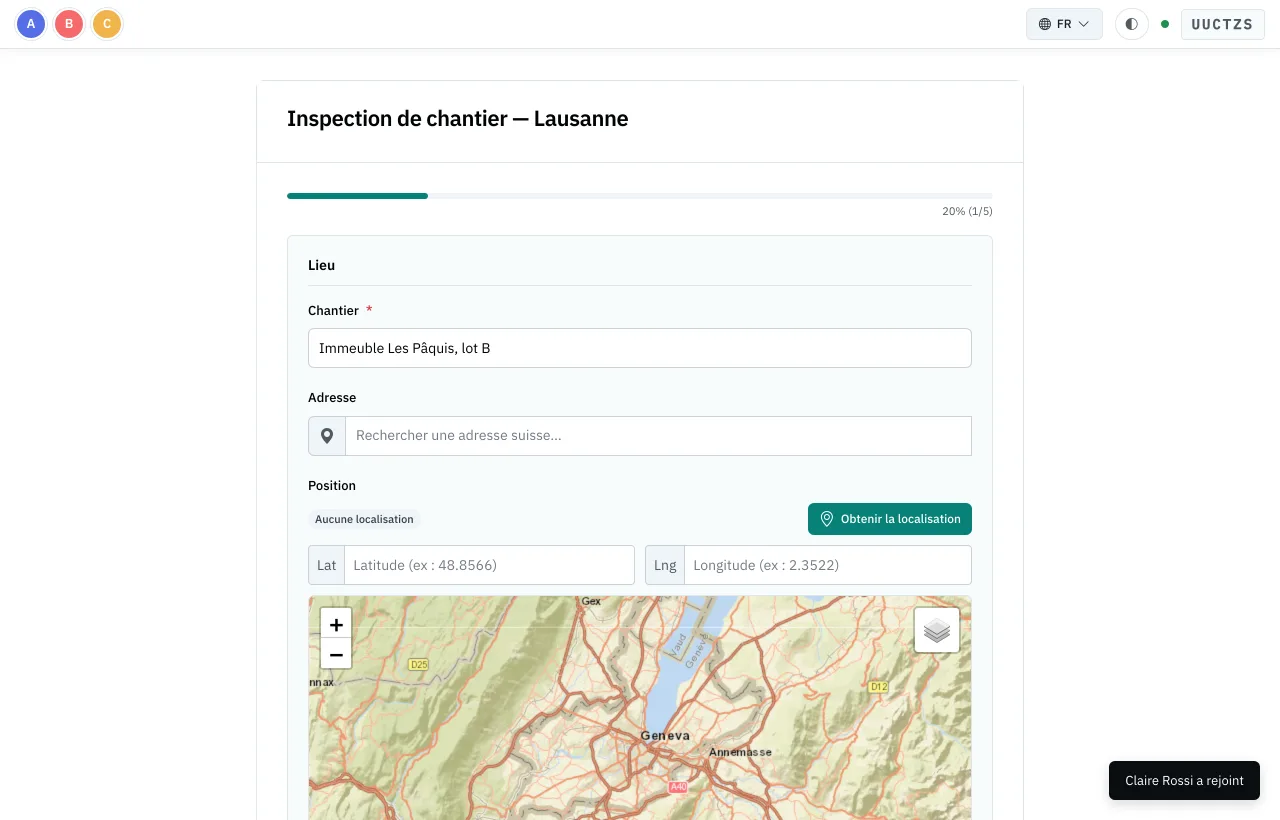
GPS location, area drawing, optional swisstopo base map and a map of all geolocated responses.
Templates
Site inspection, registration, satisfaction survey, contact request: start from a template and adapt it. Questions and sections can be reused from one form to the next.
Shared sessions
Several people fill in the same form at once, each their own part if you wish. Entries sync live, on the web and in the app.
- Join with a code or QR code, with a limited number of places
- A part assigned to each participant or group, with its own code
- Activity log, removing a participant, progress status
- A single final validation once everything is complete
The Studio
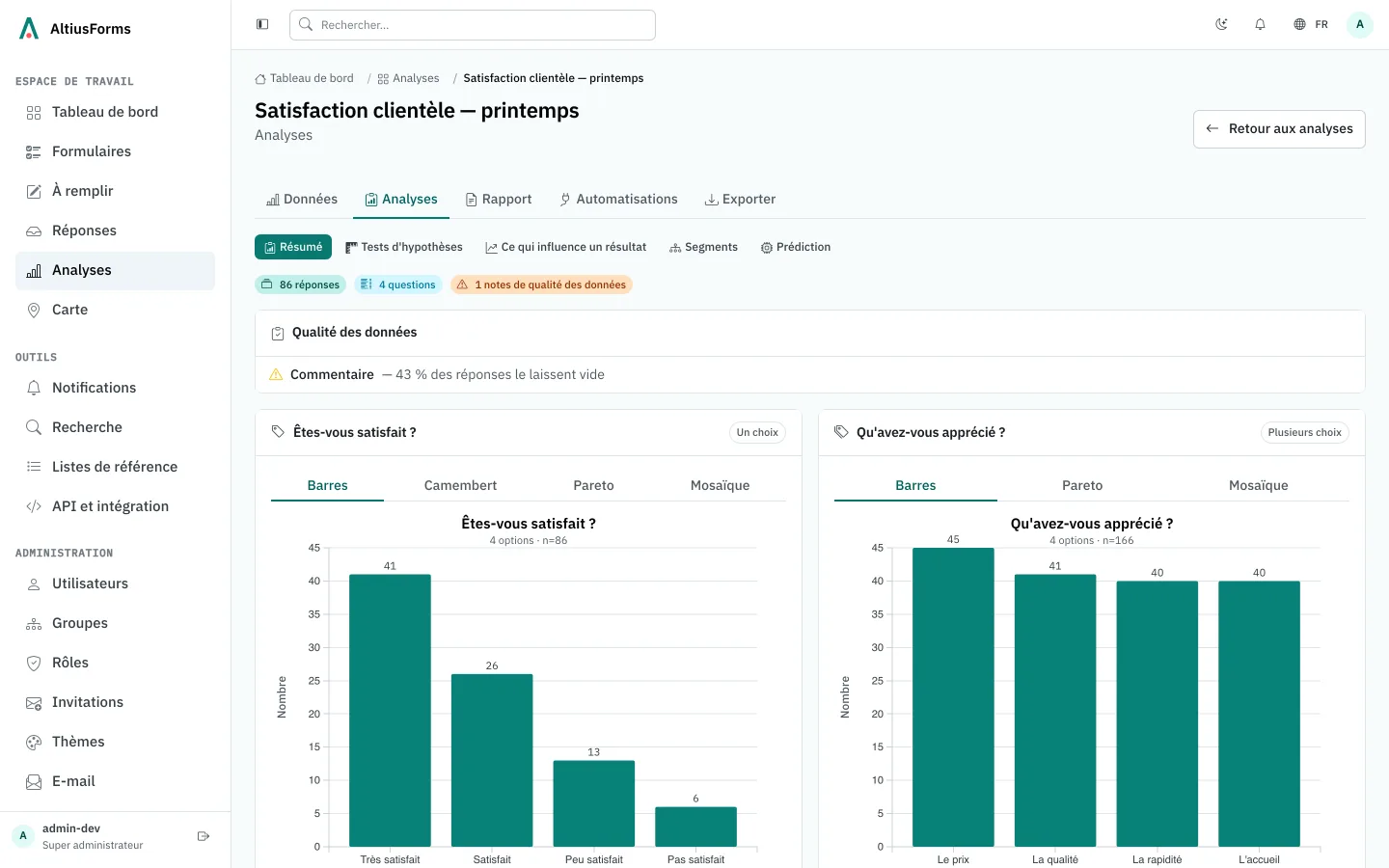
Every form has its own dashboard. Charts are chosen to suit the question type; filter, compare and save your segments.
- Automatic summary, data quality, unusual values
- Hypothesis tests, what drives a result, segments
- Laid-out reports, exported as PDF or Word
- Rule-based sorting of responses, processing view
Responses go where they're needed
Exports
CSV and Excel for all responses, PDF for each one.
Automations
Email with the PDF, webhook and internal notification for every response.
API
REST API with tokens, for forms, responses and files.
Emails
Your own sending server, email templates and a log of what was sent.
Every form, open to whoever you choose
Access
- Public by link, with bot protection
- By access code given to the right people
- Restricted to your instance's accounts, or to certain groups and subgroups
- Invitations, registration codes, roles
- Sign-in with Google, Microsoft, Apple, Facebook or OpenID Connect; two-factor authentication
Embedding in your website
- Form in the page at the right height, or a button that opens it in a window
- Shared results table displayed on your website
- Redirect after submission and an event for your analytics
- List of sites allowed to display each form
Themes and languages
Themes
Colours, corner rounding, fonts, light and dark logos, icon, app name and custom CSS. The AltiusForms mention can be hidden.
Four languages
Interface and forms in French, German, Italian and English, with optional automatic translation of form text.
Document reading
Text in attached documents and images can be extracted automatically (OCR).
In the field too
The iPhone and Android app scans QR codes, fills in offline, captures photos, videos, sound, signatures and locations, and joins shared sessions.